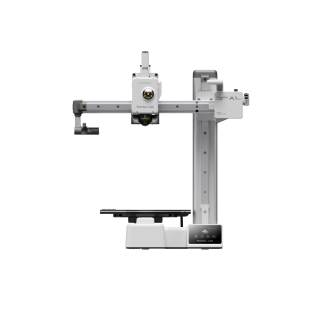
Drop in your part and say what it must reach; get the printed materials that meet it and the machines that fit it — every machine spec quoted from its maker, every property measured as printed, never borrowed from the wrought alloy.
Or start from the material you need, or the machine you have.
01Start from the material
Its printed rows, and the machines that print it
Open
02Pick the machine
Specs quoted from the maker, envelope to scale
Open
03Then the parameters
From peer-reviewed papers only
Coming next
Every spec quoted from the maker
Build envelope, layer range, laser, speed and the maker’s own material list — each value with the sentence it came from, the maker’s page and the date it was read. A value our pipeline read is labelled until a person has reviewed it; a price appears only with its source and date.
Values from the makers’ own data sheets — quoted, cited and dated, labelled until a person reviews them — and from openly licensed test data and papers.
01One row per alloy and process
Under the wrought alloy, never in its place
02Measured the way it was built
XY, XZ or Z, with the source's statistic
03Only chemistry carries over
Strength, modulus and curves are measured printed
04A page once something is measured
Nothing measured yet, no page
For exampleTi-6Al-4VTi-6Al-4V (L-PBF)as-built · HIP 926 °C · annealed 704 °C · EOS Titanium Ti64 Grade 5, heat-treated · Velo3D Ti-6Al-4V, HIP
Bring your own agent
Point Claude, ChatGPT, Gemini or Cursor at one MCP server and it can find a printer by process, maker or part size, read every spec with the sentence it was quoted from, see which machines print a material, and read printed values by build direction — the same citations and the same notice as these pages. Pro, the same plan as Engineering.
MCP endpoint
https://api.matworld.ai/mcp
Pro · Streamable HTTP
Claude Code
Personal key
1Generate a personal key in Settings → Agent access.
2Run the command in any terminal (it registers the server for every project).
3Ask Claude Code about a material — it calls MatWorld's tools as it works.
claude mcp add --transport http matworld https://api.matworld.ai/mcp # then run /mcp inside Claude Code to sign in
Printed materials
Printed materialssearch_materials
Printed variants and the conditions measured beneath them, narrowed by process (L-PBF, SLS, FFF, …) or by the maker whose data sheet holds the value.
Ask in plain Englishfind_materials
Process, post-build condition, maker and build direction read from the question; a ranked shortlist with the numbers behind each pick.
Printed datasheetget_material
One printed material with every condition beneath it — as-built, HIP, each maker's grade — and their ranges side by side; nothing averaged, nothing borrowed from the wrought alloy.
Values by build directionget_material_properties
The rows behind a property, filtered by XY, XZ or Z, by statistic, maker or the data sheet's own table — every value with its source.
3D printers
Find a printersearch_printers
3D printers by maker, process (L-PBF, SLS, FFF, …), the material they print or the part they must fit — each with its build volume and size class.
Printers in plain Englishfind_printers
A ranked shortlist of machines with the cited specs that justify each one. Same 20/day allowance as the search box.
Machine specsget_printer
Every spec of one machine with the sentence it was quoted from, its source and date, and the materials its maker says it prints.
Printed onlist_material_printers
Which machines are cited to print a material — a wrought alloy reaches them through its printed variants.
Pro, with your own key or sign-in: generate a personal key in Settings → Agent access, or let Claude sign in with your MatWorld account. Keys are personal and revocable. See Pro pricing
Pricing
Free
$0
No account needed
Every machine page — cited specs and photos
The makers' material lists
Printed materials' values, with their sources
With a free account
As-printed curves
Set up a build: your part, strength by direction, what it needs
Find the printed material and the machine for your part.
Every machine page is open. A free account adds the curves and sets up a build in the planner; Pro shows the matches — one plan for Engineering and Additive.